

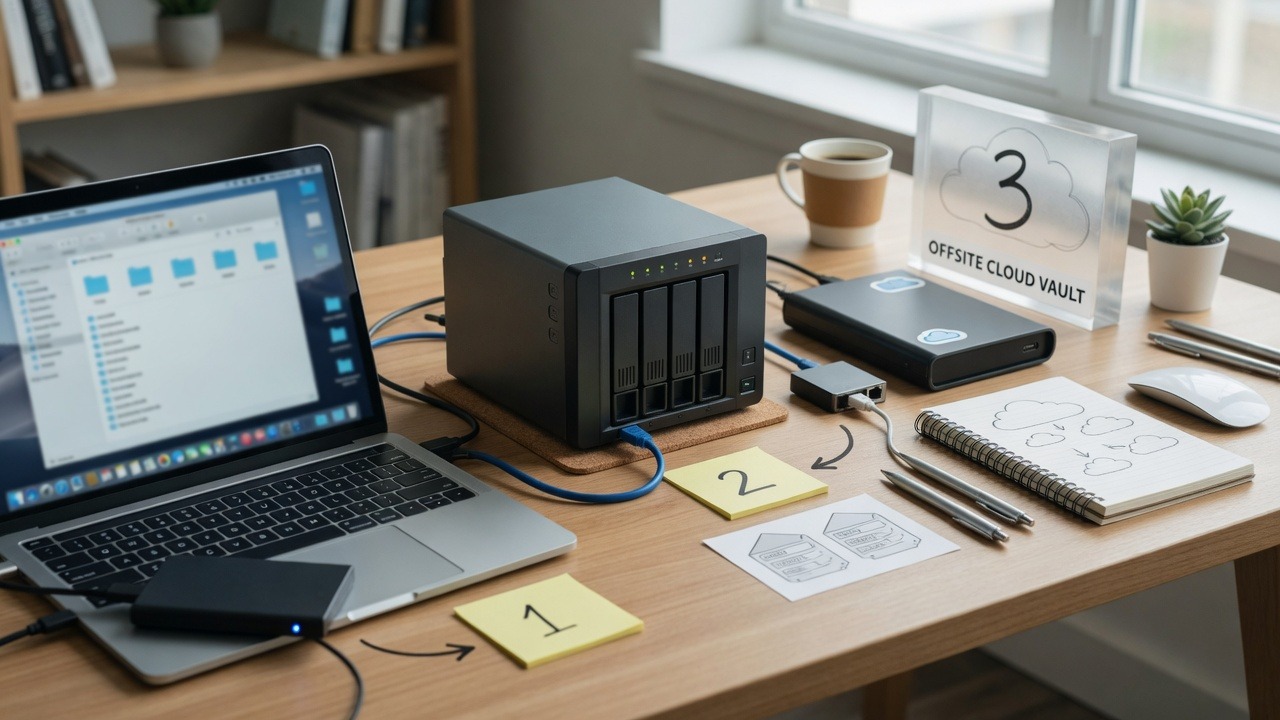
3-2-1 is still the clearest backup mental model: three copies, two different media or systems, one offsite or offline. You can buy fancy software and still fail 3-2-1 if every copy sits on the same NAS with the same credentials.
3-2-1 in a modern SMB stack
- 3 copies: production data + local backup + cloud/offsite backup
- 2 systems: e.g., backup appliance or NAS + cloud vault (not only USB + same USB)
- 1 offline/immutable: object-lock cloud, air-gapped rotation, or immutable snapshots
Where people cut corners
- One external drive that stays plugged in (encrypted with everything else)
- Consumer sync folders treated as disaster recovery
- No monitoring when jobs fail silently for weeks
- Servers backed up but laptops with critical Excel files ignored
Make it operational
- Automate; do not rely on someone remembering Friday copies
- Alert on failure to a human who will act
- Review retention when you add a new line-of-business system
- Include Microsoft 365 / Google Workspace in the design
Public-sector and industry primers still reference 3-2-1 patterns; CISA’s ransomware backup advice aligns: StopRansomware. Our overview: importance of cloud backups.
Ready for a design that fits your office size? Managed backups or contact SabatAge.
Need help putting this into practice for your business? Contact SabatAge or call (845) 475-8468. We support Hudson Valley and Orange County businesses with practical security and managed IT.
Modern 3-2-1 for small businesses
Keep three copies of critical data, on two different media types, with one copy offline or immutable. For many SMBs that means production files, a local backup appliance or NAS, and a cloud copy attackers cannot encrypt with the same credentials.
- Automate backups; do not rely on someone remembering a drive
- Alert when jobs fail—and have a human who owns the alert
- Include Microsoft 365/Google Workspace and laptops, not only the server
- Revisit retention when regulations or client contracts change
If you want this handled end-to-end—not as another checklist on a shelf—talk to SabatAge Fully Managed IT or call (845) 475-8468. We support Hudson Valley and Orange County businesses with monitoring, security, and practical guidance.
Watch for fake “success”
Backup jobs can “succeed” while backing up the wrong folders, skipping open databases, or writing to a share the ransomware can also encrypt. Validate scope and immutability, not only green checkmarks. Spot-check file counts and dates after jobs run.
No responses yet