

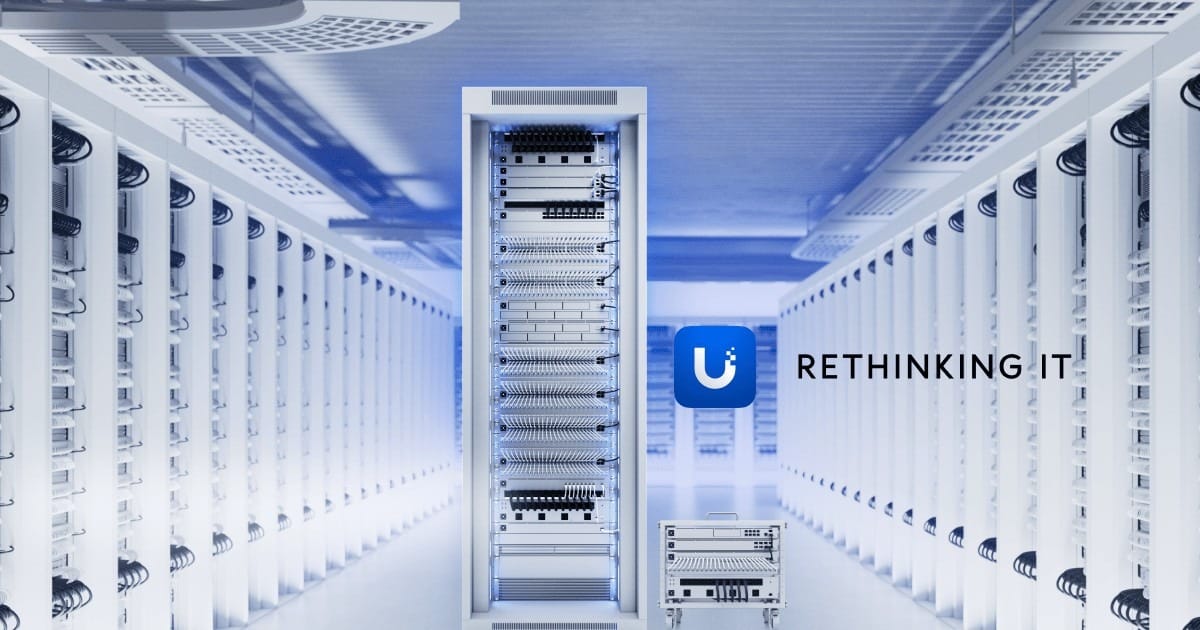
If you have ever managed a small business network built from a random mix of consumer routers, “business” Wi‑Fi kits, and mystery switches, you already know the pain: dead zones, mystery outages, weak visibility, and vendors that do not talk to each other.
UniFi (from Ubiquiti) is different. It is a single, designed-as-a-system platform—gateways, switches, access points, and even travel gear—managed from one controller experience. That is good for the client and for SabatAge as the team that keeps the network safe and productive.
Stand out features -
- One ecosystem, one pane of glass. Routing, switching, Wi‑Fi, and policies live in the UniFi Network application—not five half-related apps.
- Business-grade features without enterprise bureaucracy. VLANs, guest networks, IDS/IPS on capable gateways, client isolation, traffic insight, and remote management are first-class—not bolted on.
- Hardware that scales with you. Start with a compact gateway for a small office; grow into rack gear and multi-site designs without ripping out the whole philosophy.
- Clean install experience. PoE access points and switches, consistent mounting, and predictable firmware paths make deployments faster and support cleaner.
- Active product line. From WiFi 7 APs like the U7 Pro to cloud gateways like the Dream Machine Special Edition and Dream Machine Pro, the lineup is built for modern offices—not recycled consumer gear.
Value to you, the client
For the business owner, UniFi is less about “cool gear” and more about outcomes:
- Faster, more reliable Wi‑Fi across offices, warehouses, and multi-floor spaces—so staff stay productive on Zoom, POS, and cloud apps.
- Clearer guest vs staff separation with proper network segmentation (guests should not sit on the same LAN as accounting files).
- Better visibility when something is slow: which client, which AP, which WAN issue—not a shrug and a reboot of a consumer router.
- Stronger security posture when paired with good design: firewall policies, filtering options, threat management on supported gateways, and less “shadow IT Wi‑Fi.”
- Room to grow without throwing everything away when you add a second site, cameras, or denser wireless demand.
- Professional appearance that matches a real business—not a blinking living-room router on a shelf.
How UniFi helps SabatAge keep you safe and productive
Great hardware only pays off when someone designs and operates it well. Here is how UniFi makes our job—and your results—better:
- Remote visibility without guessing. We can see device health, client connections, WAN status, and configuration history—faster diagnosis and fewer unnecessary on-site trips.
- Standard building blocks. When clients run UniFi gateways, switches, and APs, our playbooks get sharper: known-good VLAN designs, guest networks, and Wi‑Fi best practices we can reuse safely.
- Safer change control. Configuration lives in a controlled system. We can document, back up, and roll out changes more deliberately than on a pile of mismatched consumer UIs.
- Security stack that works with our tools. UniFi network design pairs cleanly with our managed stack—EDR, backups, DNS/web filtering, MFA, and email protection—so the LAN is not the soft underbelly.
- Proactive maintenance. Firmware planning, capacity checks, and “that AP is overloaded” signals help us fix issues before they become downtime tickets.
- Clear ownership. You get a network we can support. We get a platform we trust. Everyone wastes less time on mystery hardware.
That is why UniFi shows up so often in our network infrastructure work—and alongside layered security and fully managed IT.
Core UniFi building blocks we use
Every site is designed to fit—but these are common roles in a SabatAge UniFi deployment:
Cloud gateway (the brain)

The Dream Machine Special Edition (UDM-SE) is a rack-friendly cloud gateway with integrated PoE switching and strong routing/security features for many SMB sites.

The Dream Machine Pro (UDM-Pro) is a 10G-class cloud gateway for offices that need rack density and serious throughput. For smaller deskside needs, also see the Dream Router 7.
Gateways centralize routing, firewall policy, and (on supported models) threat management—so security is not an afterthought bolted onto a home router.
Switching (the backbone)

The Switch Pro 24 PoE delivers enterprise-style PoE switching to power APs, phones, and cameras cleanly. Managed PoE switching means fewer wall warts, cleaner cable plants, and VLANs that actually enforce “guest stays guest.” See also our network infrastructure services.
Wireless Access Points
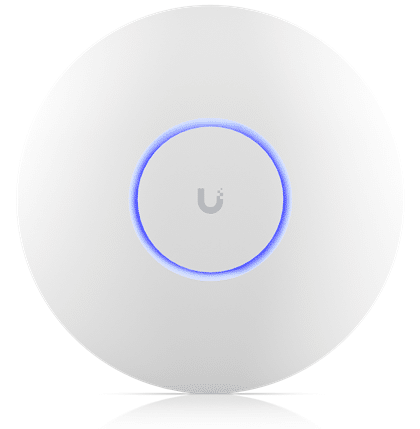
The Access Point U7 Pro is modern high-performance Wi‑Fi (WiFi 7) for offices that need capacity, not just coverage. Proper AP placement and channel planning beat “one powerful router in the middle of the building” every time.
The UniFi Travel Router: secure Wi‑Fi that travels with you
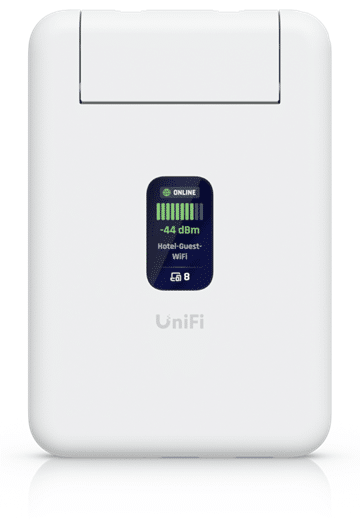
Hotel and café Wi‑Fi is convenient—and a classic place for credential theft and messy captive portals. The UniFi Travel Router (UTR) gives owners and road warriors a better pattern:
- Your own secure bubble. Create a trusted Wi‑Fi network for laptops and phones even when the upstream network is unknown.
- Consistency with the office stack. For UniFi-centric teams, travel gear that speaks the same language reduces “special case” support chaos.
- Better than raw public Wi‑Fi. Pair travel networking habits with MFA, VPN policy where appropriate, and common-sense login hygiene.
- Small enough to actually pack. The UTR is designed as pocket-size travel kit—not another brick in the suitcase.
For executives and field staff, that is real productivity: join a known-good network quickly, keep devices on a controlled LAN, and reduce the chance that a bad hotel network becomes a business-email compromise story.
What “good” looks like with SabatAge + UniFi
- Designed VLANs for staff, guests, voice/IoT as needed
- Documented Wi‑Fi SSIDs and password/rotation practices
- Gateway policies aligned with your security stack
- Monitoring and maintenance as part of managed services—not “set and forget forever”
- A path to grow (extra APs, cameras, second site) without a forklift upgrade every two years
Official UniFi product links
- Ubiquiti / UniFi home
- UniFi Network
- UniFi Store (US)
- Dream Machine Special Edition (UDM-SE)
- Dream Machine Pro (UDM-Pro)
- Dream Router 7
- U7 Pro access point
- Switch Pro 24 PoE
- UniFi Travel Router (UTR)
Curious whether UniFi is the right fit for your office—or whether your current network is holding people back? Network infrastructure · Contact SabatAge · (845) 475-8468 · support@sabatage.com
Comments are closed